
What Do You Know about SLA Performance? There’s More to it Than You Think
We know the SLA Automation in the Autotask PSA software is great at indicating:
Which tickets need intervention
Where in the customer’s journey tickets are getting stuck
Which tickets need to be worked on next
Which customers are Managed Service customers so they receive preferential treatment
To the customer when they can expect the tech to engage on their request
Even more importantly, it lets us know how we are performing. Whether we’re meeting our contractual agreements, we dropping the ball at intake, engagement, or ending strong. And the software can recalculate a due date after we have been waiting on the customer for months.
If this is news to you, schedule a call with us ASAP!
Using SLA Automation as a KPI
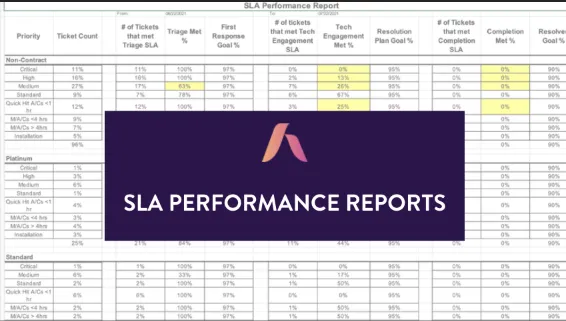
Using the SLA Automation as a KPI can also tell us if the Service Delivery team is worth the powder. The SLA Performance report grades the intake, tech engagement, and completion scorecard of the team. If configured correctly, the First Response will tell you if the intake process is on top of its game, the Tech Engagement will tell you if the Techs are following protocols, and the Completion metric will tell you if the customers are disappointed or frustrated. Click here to download a copy of our Proposed SLA Settings.
At the end of the day, we hold the Service Coordinators responsible to shepherd all tickets from New to Complete, making the SLA Performance their primary responsibility. If the Service Coordinator is doing their primary function (triaging tickets within 20 minutes of creation), then the First Response SLA will be met 97% of the time. If the Service Coordinator is doing a great job reviewing the request and assigning it to the right skillset, or scheduling it out when needed, then the Tech Engagement SLA will be 95%, and completion of all requests will be above 90%. If your experience is different, or if your SLAs are not configured to provide this type of information, you are in trouble and need someone to guide you out of the weeds.
As a side note, we have rolled out the Service Delivery Foundational Improvement program (SDFI) for the last 2 ½ years. It’s surprised us that once the intake processes is firing on all 8 cylinders (meaning that the First Response SLA is in the upper 90’s), the rest of the Service Delivery process starts working properly and the rest of the SLA benchmarks (Tech Engagement and Completion) meet expectations organically.
Summary: What you need to know about the SLA automation
So here are the specifics you need to know:
First Response = Triage and is set as a 1-hour response time.
Resolution Plan = Tech engagement and response time depends on what Workflow the Request has been triaged into:
Critical – 1 or 2 hours
High – 4 hours
High Backup – End of day minus 2 hours
Medium – 8 hours
Standard – 12 hours
The beauty of the Autotask PSA SLA Automation is that we can mix the Incidents listed above with the Service Requests listed below, and all requests will be sorted by Next SLA Due Date. Plus, they play nicely together.
Quick Hit – 4 hours
Moves/Adds/Changes < 4 hrs – 24 hours
Moves/Adds/Changes > 4 hrs – 40 hours
Installs – 80 hours
Just in Time (JIT) recurring master tickets – 40 hours
Note: the time intervals listed above are in business hours.
Completion is not something we promise to the customer, but with Technician Effortless than 1 hour, should the Completion SLA match the Tech Engagement SLA? And should the First Contact Resolution (not to be confused with First Call Resolution) be 99%?
This brings up a great question: If Triage is missing SLA,what’s a Service Manager to do?
Use the Service Delivery Forecast report (SDF) as a tool for resource planning
Use the Workflow Distribution Report as a tool for Triage quality
Last but not least, sit down with the Service Coordinator(s) and show them what the data is saying, and ask them what can wedo as a team to improve their #s.
From my experience, every Service Coordinator wants to do a good job, but there is very little Service Coordinator training available, until now.
Steve